NoitaMap Companion Mod
Press M key on your keyboard to open NoitaMap with the map of your current run at your current location in the world.
The map knows about your progress (spell unlocks).
Daily run map generation is also supported!
TLDR: Press M on your keyboard to open a new browser window with NoitaMap with the map of your current run!
Download
How to use the mod
Download
Download the latest release from GitHub using the button above.
Install
Uncompress noitamap.zip and move the noitamap folder into the mods folder in Noita (Steam ➔ right click Noita ➔ Local files), or copy and paste the path into Windows Explorer:
C:\Program Files (x86)\Steam\steamapps\common\Noita\modsEnable
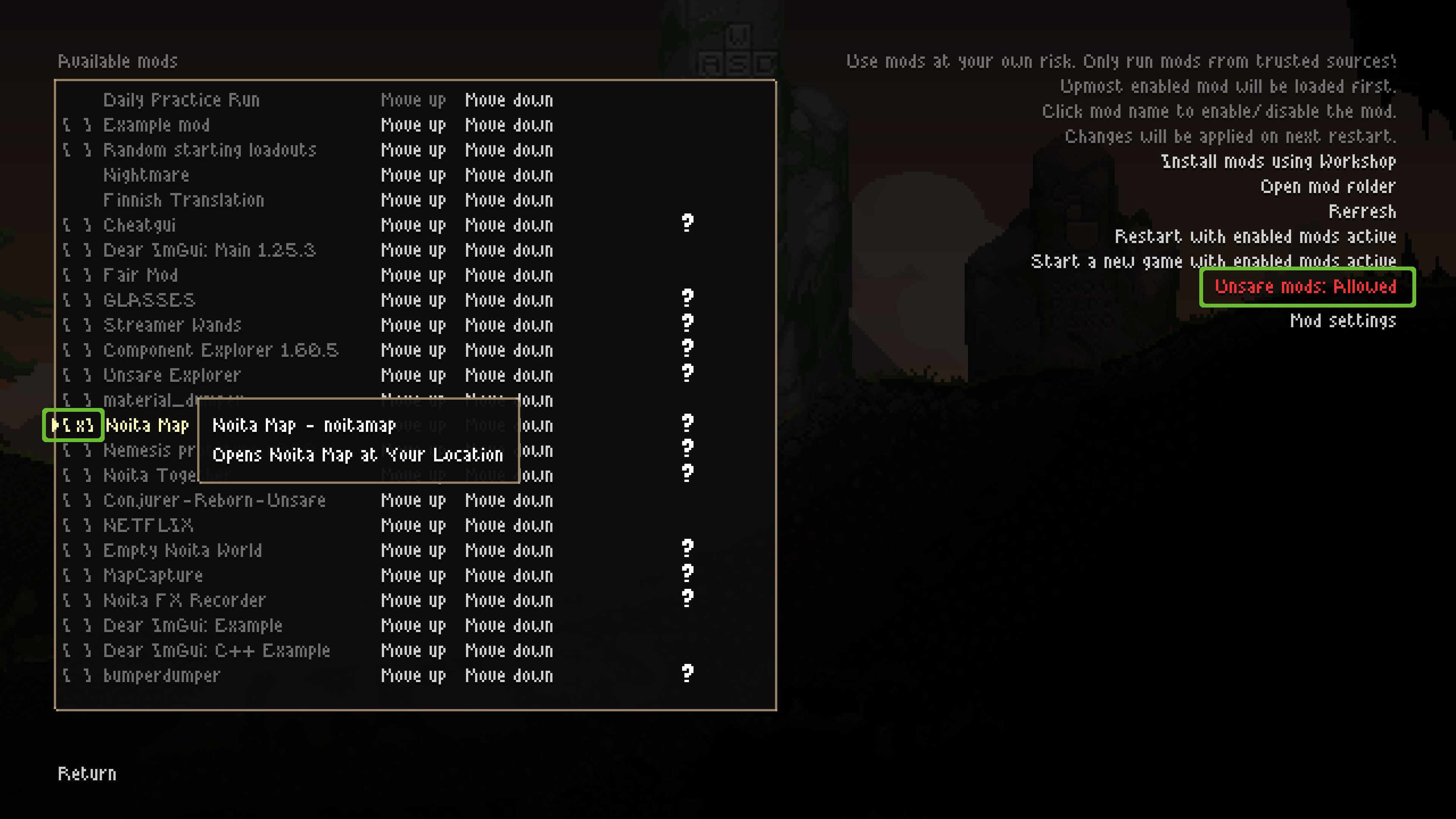
Launch Noita, click “Mods”, click “Unsafe mods: Disabled”, click “Yes” (this is due to deeper game integration requirements), click on “Noita Map” in the mods list so it shows [x].
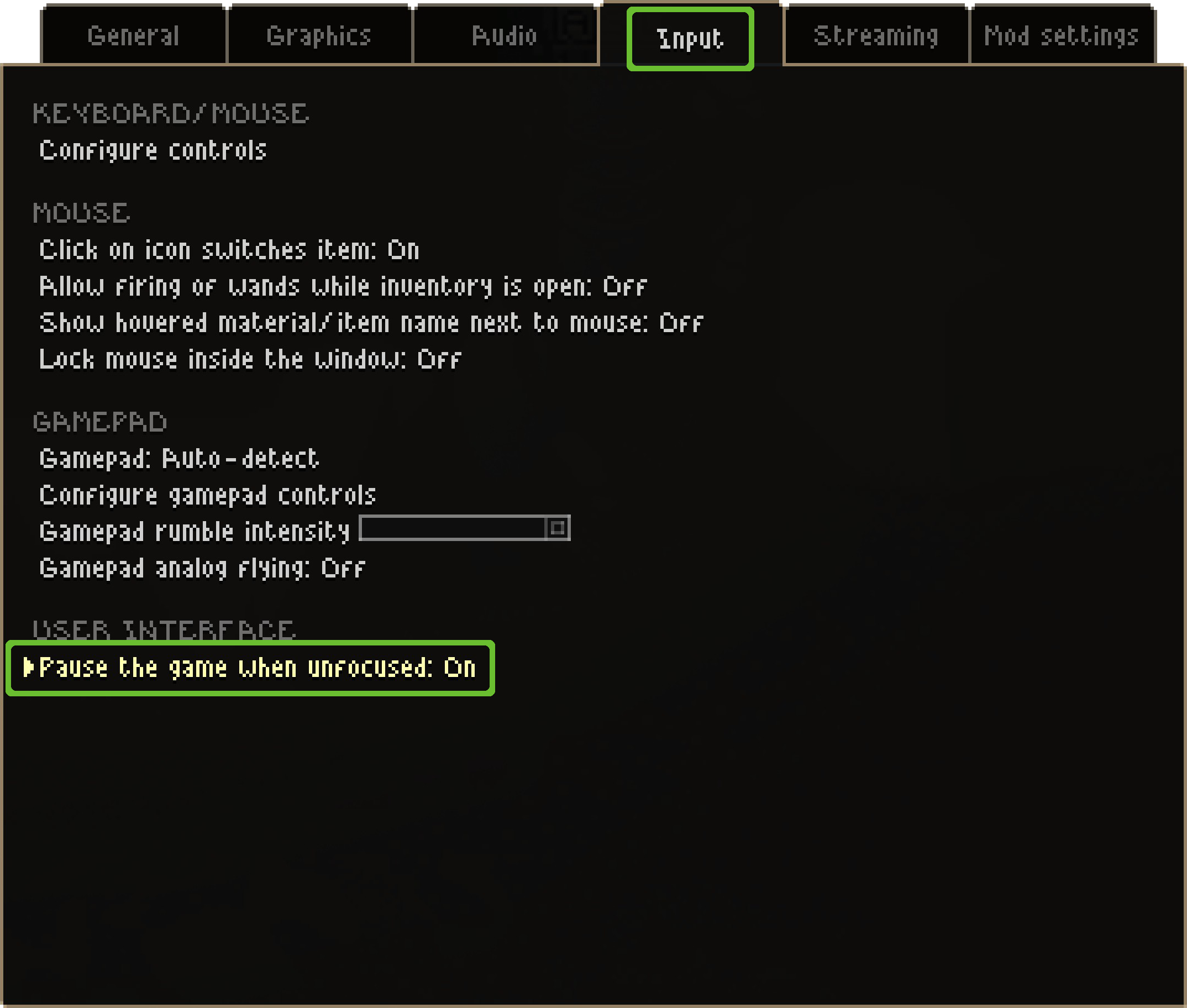
(optional) Turn on “Pause the game when focused” option in the settings.
Press M mid-run to open the map of your run!
Extra step: adjust settings
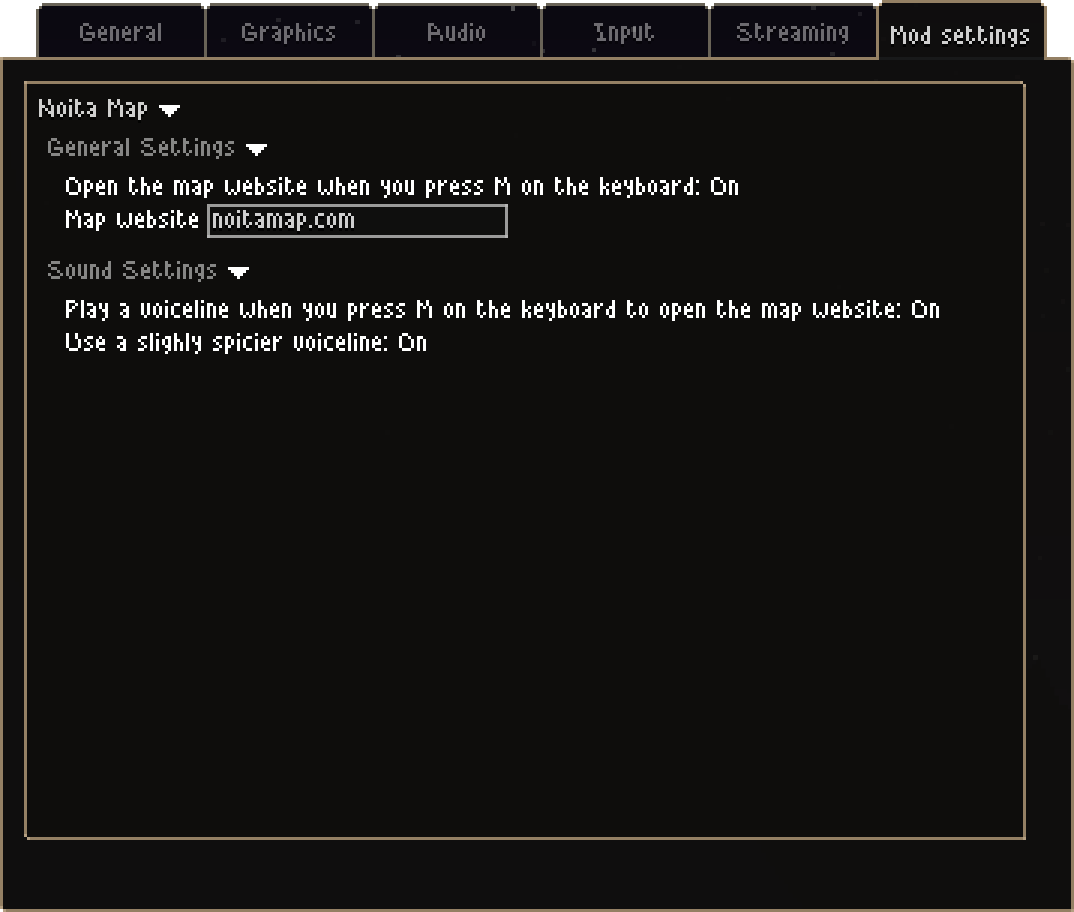
Adjust mod settings to your liking: you can choose from one of the sounds, and even disable the map opening, that way you get a sound board.
FAQ
When will you publish the mod on the Steam Workshop
I am unable to do so: NoitaMap mod requires elevated mod permissions (this is an “unsafe” mod). Unsafe mods are not allowed on the Workshop.